
 EN
EN
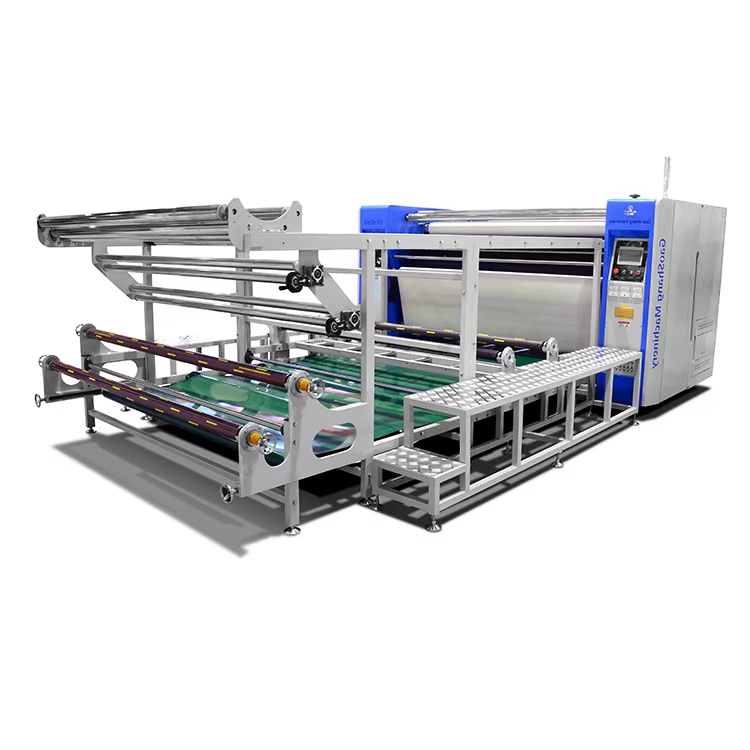
How Speed Impacts Heat Transfer and Print Quality in a Roll to Roll Heat Press Machine
The Role of Dwell Time in Sublimation and Thermal Transfer Efficiency
Dwell time—the duration the substrate remains in contact with the heated roller—is directly governed by line speed on a roll-to-roll heat press. Faster speeds reduce dwell time, limiting thermal energy absorption. For sublimation, dye molecules require sufficient heat and time to vaporize and bond with polymer fibers. Insufficient dwell causes dull colors and poor wash fastness; excessive dwell risks ink bleeding or fabric scorching. The ideal window balances complete sublimation with substrate integrity. As a practical guideline: doubling line speed typically requires a 10–15 °C temperature increase to maintain equivalent energy input per unit area. Always consult your ink and substrate manufacturer’s dwell specifications before adjusting speed.
Speed–Temperature–Pressure Triad: Why Adjusting One Requires Compensation in Others
Speed functions as one element of an interdependent triad with temperature and pressure. Increasing speed shortens contact time—so either temperature or pressure must rise to preserve transfer quality. Higher temperature accelerates sublimation but risks substrate warping or gloss variation if it exceeds material tolerance. Increased pressure improves thermal conductivity by minimizing air gaps, yet excessive pressure can stretch lightweight fabrics. Conversely, slowing speed to enhance fine-detail transfer often necessitates lowering temperature or pressure to prevent over-transfer. A proven method for consistent results is maintaining a stable energy dose, approximated as:
Energy (J/cm²) ≈ Temperature (°C) × Dwell Time (s) / Pressure (bar).
Documenting validated triads for each substrate simplifies future job setup and strengthens repeatability.
Optimal Speed Ranges by Machine Class and Application
Entry-Level Roll to Roll Heat Press Machines: 2–4 m/min for General Signage
Entry-level roll-to-roll heat press machines are built for small- to medium-volume production. Their typical operating range of 2–4 m/min delivers reliable heat transfer for common substrates like polyester banners, adhesive vinyl, and fabric signage. This lower-speed envelope extends dwell time, allowing thorough heat and pressure penetration—reducing risks of ghosting or under-transfer. It’s well-suited for general signage, event graphics, and short-run custom orders where throughput is secondary to consistency and ease of operation.
Industrial Roll to Roll Heat Press Machines: 5–8 m/min with Precision PID Control
Industrial-grade machines operate at 5–8 m/min—nearly double the entry-level range—enabling high-volume output for soft signage, retail displays, and textile rolls. To sustain print quality at these speeds, they integrate precision PID (Proportional–Integral–Derivative) temperature control, maintaining roller surface stability within ±1 °C. This real-time regulation compensates for shortened dwell time, ensuring full sublimation without blistering or color banding. While requiring greater capital investment, the 5–8 m/min range delivers scalability without compromising edge sharpness or color fidelity.
Material-Specific Speed Guidelines for Common Substrates
Different substrates respond uniquely to speed, heat, and tension. Optimizing throughput while preserving print quality demands attention to fabric weight, elasticity, coating type, and thermal sensitivity.
Polyester Banners and Soft Signage: Balancing Throughput and Edge Sharpness at 3–5 m/min
Polyester banners and soft signage perform best between 3–5 m/min. Within this range, dwell time supports full dye migration while minimizing ghosting and edge blur—especially critical on coated banner surfaces. Speeds above 5 m/min frequently cause under-transfer; slower speeds offer diminishing returns in quality while reducing productivity. A robust starting point is 4 m/min, adjusted based on ink density and substrate thickness. Crucially, consistent web tension ensures registration accuracy and sharp edge definition. Always run a test strip at each speed increment to validate edge clarity before committing to full production.
Stretch Knit and Lightweight Fabrics: Slower Speeds (1.5–2.5 m/min) to Prevent Ghosting and Tension Distortion
Stretch knits and lightweight fabrics demand deliberate pacing: 1.5–2.5 m/min is optimal. Higher speeds induce tension-induced distortion and ghosting because the material lacks time to thermally stabilize under the roller. Slower movement allows even heat penetration and proper dye migration without compressing or flattening the knit’s natural texture. Slightly reduced nip pressure further protects fabric integrity. For most polyester-spandex blends, begin calibration at 2 m/min and inspect for ghosting, waviness, or loss of dimensional recovery before finalizing settings.
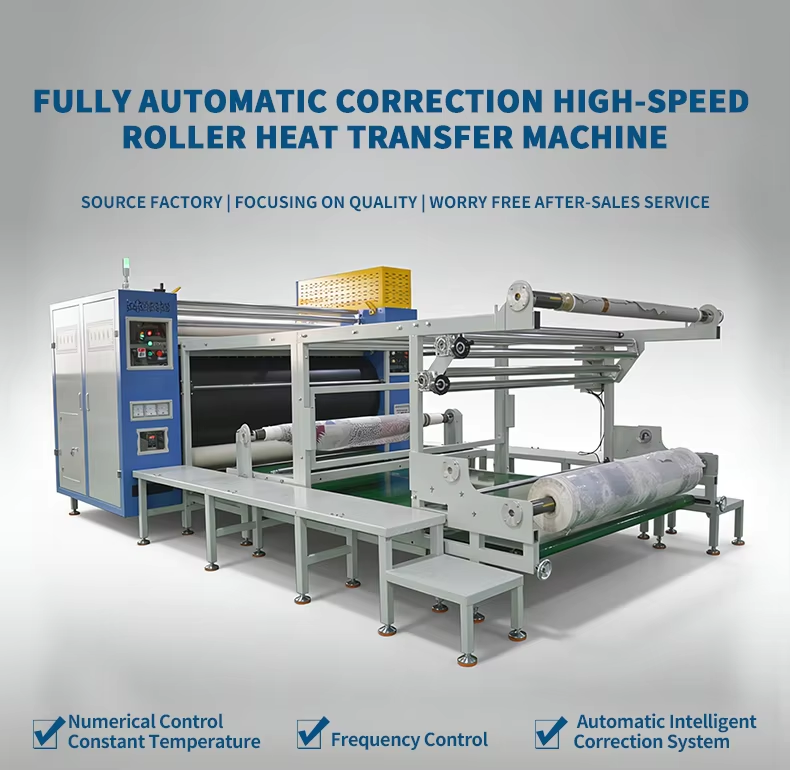
Validating and Troubleshooting Speed Settings on Your Roll to Roll Heat Press Machine
Real-World Failure Signatures: Blurring, Under-Transfer, and Edge Lifting Explained
Incorrect speed settings produce distinct, diagnosable defects:
- Blurring signals excessive speed—dye doesn’t fully settle into fibers before the substrate exits the heat zone.
- Under-transfer, marked by faded or incomplete images, usually stems from insufficient dwell time due to high speed—especially when paired with suboptimal temperature or pressure.
- Edge lifting reflects tension mismatch: thin or stretchy materials pull away from the heat source before the adhesive or dye bond fully sets.
Recognizing these signatures enables targeted correction—not trial-and-error adjustments.
Step-by-Step Speed Calibration Protocol Using Test Strips and Visual QA
Use this repeatable protocol to establish optimal speed for any substrate:
- Print a test pattern on the actual substrate.
- Cut identical test strips and run them at incremental speeds across your target range (e.g., 2, 3, 4, 5, and 6 m/min).
- Immediately inspect each strip for edge sharpness, color density, and uniformity.
- If ghosting appears, reduce speed; if under-transfer occurs, verify temperature and pressure are within recommended ranges before increasing speed again.
- Record the speed that delivers full transfer, crisp edges, and no distortion—and document corresponding temperature and pressure values.
This method transforms subjective judgment into objective, reproducible data—building operational confidence and reducing waste.
FAQ
Q: How can I balance speed with heat transfer quality?
A: Use the speed-temperature-pressure triad. If you increase speed, compensate by adjusting temperature or pressure to maintain consistent heat transfer.
Q: What are the ideal speed ranges for different substrates?
A: General guidelines are 3–5 m/min for polyester banners, 1.5–2.5 m/min for stretch knits, and 5–8 m/min for industrial applications.
Q: What issues are caused by incorrect speed settings?
A: Common defects include blurring, under-transfer, and edge lifting. Calibrating speed through test strips helps prevent these issues.
Q: How often should I test and validate speed settings?
A: Test speed settings for each new substrate or production batch and periodically during long runs to ensure consistency.
Q: Can I use the same speed for all substrates?
A: No. Each substrate has unique thermal and tension requirements. Always consult manufacturer recommendations and perform test strips to optimize results.

