
 EN
EN
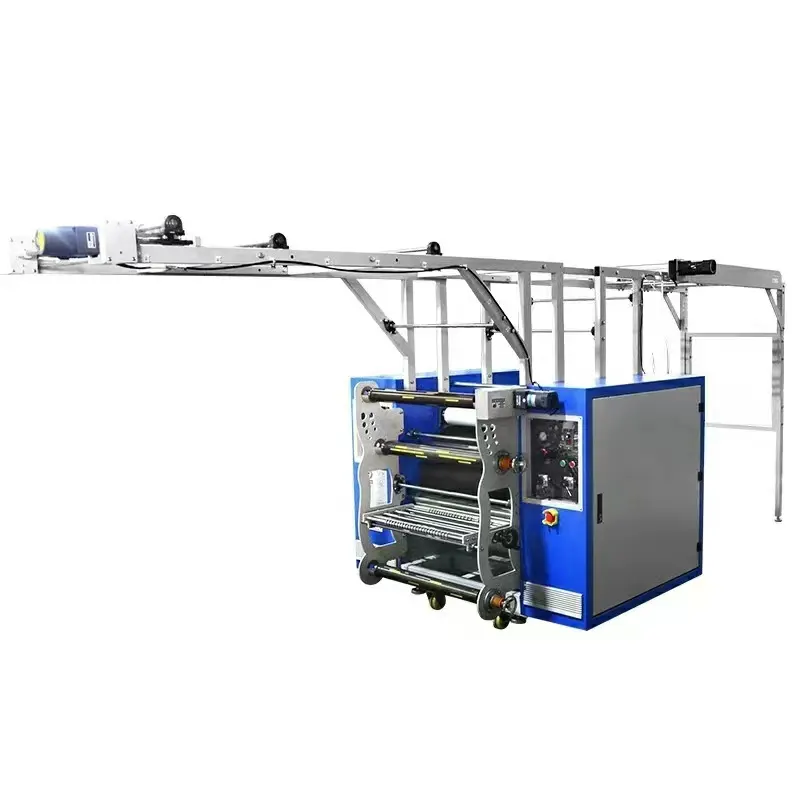
Why Logo Clarity Fails: Sublimation Challenges Unique to Lanyards
Dye sublimation is the go-to method for full-color, durable logo application on polyester lanyards—yet achieving razor-sharp clarity remains a persistent challenge. Unlike flat, rigid substrates, lanyards are narrow, flexible polyester strips that undergo intense heat and pressure, creating a unique set of transfer hurdles. The science of dye sublimation and the material reality of the lanyard itself often conspire to blur fine details, fade edges, or introduce ghosting. Understanding the root causes is the first step to correction.
The Science of Dye Sublimation Transfer on Polyester Lanyards
Sublimation is a phase-change process where solid dye particles convert directly into gas, bypassing the liquid state. A lanyard heat press applies precise heat and pressure to transfer paper, causing dispersed dyes to vaporize and penetrate polyester fibers. The critical temperature window is 180°C–210°C: below this range, dye fails to fully transition, yielding weak, blotchy prints; above it, polyester can scorch or dye over-diffuses, washing out edge definition. At the molecular level, the gas-phase dye enters the amorphous regions of softened polyester chains, forming physical bonds that lock in color. If polyester content falls below 100% or the fabric carries a heavy coating, dye penetration becomes uneven—causing mottling and loss of fine lines. Dwell time is equally vital: too short, and transfer is incomplete; too long, and dye migrates beyond intended boundaries, blurring crisp serifs or 1-point rules. While manufacturers typically recommend 35–45 seconds for a standard 2-inch-wide lanyard, variations in thickness and weave demand calibration—not assumption.
Fabric Weave, Coating Defects, and Ink Saturation: Top Clarity Killers
The physical structure of the lanyard ribbon is the hidden variable that sabotages many clean transfers. A tight, high-density weave with a smooth surface provides an ideal canvas for dye deposition; a loose or textured weave acts like a microscopic washboard, scattering dye gas and producing fuzzy edges. Coating defects—such as uneven application of UV stabilizers or water repellents—create localized barriers that block dye absorption, leaving patchy voids around the logo’s perimeter. Even uniform coatings can reduce clarity by limiting dye access to the fiber core, forcing the image to sit superficially and wear off prematurely. Ink saturation on the transfer paper is another decisive factor: excessive ink floods the paper and releases too much dye gas, overwhelming polyester’s absorption capacity and causing bleeding—especially around small text or intricate shapes. Insufficient ink density yields faint, washed-out results. The optimal ink load varies by paper type, but a 100% vector fill without over-inking serves as a reliable baseline. These three factors—weave, coating, and saturation—interact multiplicatively: a defective coating on a coarse weave will amplify even slight over-inking, turning a vector-perfect logo into an indistinct smear. Pre-production testing on sacrificial lanyards is the only reliable way to isolate and correct these clarity killers.
Optimizing Your Lanyard Heat Press Machine Settings for Sharp, Clean Transfers
To achieve crisp, high-definition logos on polyester lanyards, every variable on your lanyard heat press machine must be carefully dialed in. The interplay between preheating, temperature, dwell time, and pressure determines whether the final transfer is razor-sharp or plagued by edge bleeding and ghosting. The following subsections break down the critical adjustments that directly impact transfer clarity.
Precision Preheating: Eliminating Ghosting with 3–5 Seconds at 120°C
Even new lanyard blanks retain microscopic moisture from ambient humidity or storage. When this moisture flash-converts to steam during the 200°C sublimation cycle, it can push dye laterally—creating a faint, offset “ghost” beside the main logo. Preheating the lanyard for just 3–5 seconds at 120°C (248°F) expels trapped moisture without damaging polyester fibers. Use an infrared thermometer to verify even surface heating. This brief, low-temperature step is especially crucial for tightly woven lanyards, where moisture has limited escape paths. Skipping preheating is one of the most common causes of edge blur—yet it requires no extra equipment and adds only seconds to cycle time. Integrate it into your standard workflow and test its effect on a scrap piece before each production run.
The Temp–Time–Pressure Triad: Data-Backed Settings for Edge Definition
Edge definition hinges on the precise balance of temperature, dwell time, and pressure. When any one drifts, the result is immediately visible: faint lines, dye blowout, or incomplete transfer. Industry benchmarks from controlled polyester sublimation tests provide a reliable starting point—though minor adjustments may be needed to match specific lanyard construction.
| Parameter | Recommended Setting | Notes |
|---|---|---|
| Temperature | 200°C (392°F) | Maintains stable dye sublimation without polyester damage. |
| Time | 30–45 seconds | Allows full ink transfer; adjust for thickness. |
| Pressure | Medium (40–50 psi) | Ensures even, firm contact across the entire platen. |
Temperature that is too high accelerates dye diffusion, causing ink to spread beyond intended edges and bleed into surrounding fabric. Too little heat leads to incomplete sublimation and washed-out output. Dwell time must allow full dye transition and bonding—but excessive time risks scorching fibers and dulling the white base. Pressure matters too: light pressure creates gaps that blur fine details; excessive pressure flattens the weave and may distort the platen. Always change only one variable at a time during test prints, and maintain a log of settings for each lanyard type. With proper calibration, the triad of 200°C, 30–45 seconds, and medium pressure consistently yields sharp, durable logos.
Design & Preparation: Ensuring Logo Integrity Before the Lanyard Heat Press Machine
Raster vs. Vector Output: How DPI, Bleed, and Color Mode Affect Clarity
Digital file preparation is foundational to crisp lanyard logos. Vector artwork (AI, EPS, or CDR files) uses mathematical paths—scaling infinitely without quality loss—and is ideal for sublimation’s fine detail. Raster images (JPG or PNG) require at least 300 DPI at final print size, yet text edges may still soften under heat. Always include a 1–2 mm bleed to prevent white slivers along trimmed edges. Set color mode to CMYK—not RGB—as sublimation inks rely on cyan, magenta, yellow, and black for accurate reproduction. Poor DPI, missing bleed, or incorrect color space can cause fuzzy edges, color shifts, and registration gaps—undermining even the most precisely calibrated heat press.
Validating Clarity and Durability: Real-World Performance Testing
After optimizing your lanyard heat press machine settings, rigorous real-world performance testing confirms that logos remain sharp and durable throughout the product’s lifecycle. Unlike accelerated lab-only aging, real-world trials subject lanyards to actual daily conditions—friction against clothing, sweat exposure, repeated handling, and incidental washing. Independent textile engineering lab testing (2023) found that correctly pressed sublimated polyester lanyards retain over 90% of original logo clarity after 50 industrial launderings, while poorly adhered transfers show visible degradation within just 10 cycles.
To systematically validate clarity and durability, use a combination of industry-standard tests:
- Wash Durability – Simulate multiple laundry cycles (AATCC 61) to assess color loss, dye migration, and edge blurring.
- Abrasion Resistance – Employ a Martindale or Taber abrader to measure cycles to visible wear under standardized rubbing conditions.
- Crocking (Rub) Fastness – Test for color transfer to dry or wet cloth under controlled pressure—critical for preventing stains on clothing or badges.
- Lightfastness – Expose samples to UV light (Xenon arc) to evaluate fading over time—especially important for outdoor or high-visibility badge-holding applications.
- Adhesion Tensile/Pull Tests – Quantify bond strength in the heat-pressed area to ensure the transfer resists cracking or peeling when the lanyard is stretched.
Documenting performance against these benchmarks provides objective proof your process meets client expectations for longevity. A 2024 industry survey found that 72% of event organizers would reorder from suppliers whose lanyards maintained logo integrity after a season of heavy use. By integrating real-world validation, you protect brand reputation and ensure every lanyard—whether used for a single conference or daily wear—delivers the crisp, professional image promised by a well-calibrated heat press.
FAQ
Why is preheating necessary for sublimation on lanyards?
Preheating removes moisture trapped in the polyester fibers, preventing ghosting and edge blur caused by steam during the high-temperature sublimation process.
How can fabric weave impact dye sublimation clarity?
A loose or textured weave scatters dye gas and causes fuzzy edges, while a tight, high-density weave provides an ideal surface for clean dye deposition.
What are the recommended settings for a lanyard heat press machine?
Industry benchmarks suggest 200°C temperature, 30–45 seconds dwell time, and medium pressure (40–50 psi) to achieve optimal clarity and durability.
What’s the difference between vector and raster files for lanyard logo printing?
Vector files scale infinitely without quality loss and produce sharper logo prints compared to raster files, which require high DPI and may soften edges during heat application.
How do you validate the durability of sublimated lanyards?
Durability testing includes wash durability, abrasion resistance, crocking fastness, lightfastness, and adhesion tensile tests to ensure logos withstand daily use.
Table of Contents
- Why Logo Clarity Fails: Sublimation Challenges Unique to Lanyards
- Optimizing Your Lanyard Heat Press Machine Settings for Sharp, Clean Transfers
- Design & Preparation: Ensuring Logo Integrity Before the Lanyard Heat Press Machine
- Validating Clarity and Durability: Real-World Performance Testing
-
FAQ
- Why is preheating necessary for sublimation on lanyards?
- How can fabric weave impact dye sublimation clarity?
- What are the recommended settings for a lanyard heat press machine?
- What’s the difference between vector and raster files for lanyard logo printing?
- How do you validate the durability of sublimated lanyards?

