
 EN
EN
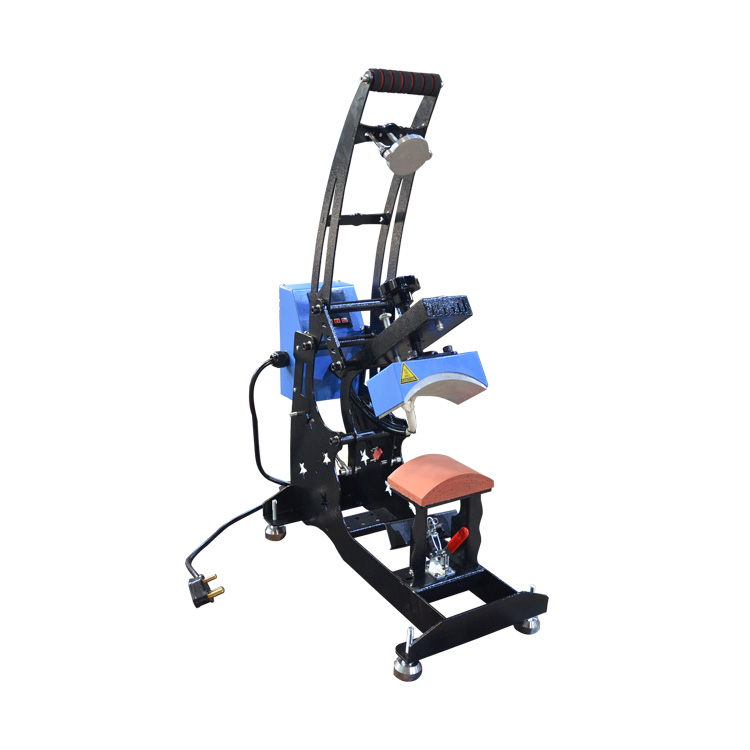
Cén fáth a bhíonn socruithe uathúla riachtanach do uirlisí bréiththeachta capaill i gcomparáid le bréiththeachtaí dromchlaí cothrom
Fisic na dromchlaí curváilte: Conas a thagann geaméadracht an domhain i mbun aistriú teasa agus sainmhínithe na n-ionsaithe
Tá tionchar ag an bhfhoirm thiomáiní ar an gcaipéad ar conas a scaipeann teocht i gcomparáid le hábhair phlaná. Nuair a oibríonn tú le haghaidh churtha seo, ní dhéantar an bhrú go cothrom ar fud an ábhair. Tugtar an chuid is mó den fhórsa ar an gceann, ach ní thagann na taobhanna i dteagmháil chomh minic. Mar gheall ar an mbealach iontach seo a scaipeann teocht, bíonn fadhbanna ann go minic leis an bplastach vinil ag adhéiriú go maith ag na sreangacha, agus na línte doiléir sin a bhíonn ar logaí. D’aimsigh roinnt staidéar go mbíodh sé de dhíth ar 15–20% níos mó brú ag an bpunt is airde ar an gcaipéad chun toradh maith a bhaint as na caipéid churtha. Cabhraíonn an brú breise seo le comhghuaillíocht a dhéanamh leis an mbealach a scaipeann teocht go nádúrtha ón lár go dtí na ceannra, ag cinntiú go mbíonn gach chuid den dheisgn curtha i bhfeidhm go ceart chun adhéireacht níos fearr.
Cén fáth a bhíonn blúráil, scáthánú agus adhéireacht neamhiomlán ar chaipéid nuair a úsáidtear socruithe caipéad caighdeánach do th-short
Nuair a iarraimis ar shocruithe caipéid chun caipéid struchtúrtha a phróiseáil le socruithe éadrom caighdeánacha, bíonn trí phrioncadh mór againn go minic a mhí-ghníomhaíonn na torthaí. Ar an gcéad dul síos, tá an éifeacht scálaíochta ann mar gheall ar an bpréis níos lú ná is gá ar na codanna cruinnitheacha den chaipéid. Ansin, tá an éifeacht spioradach ann nuair a fhanann teocht iad agus iad ceangailte sa chearnóg. Ag deireadh na lae, tá an adhesives ag briseadh faoi bhun an réigiún domhain. Is é 40–50 pound in aghaidh an troigh cearnach an méid préis a thugann an chuid is mó de bhróisirí leathair airgead ar fud an uile achar. Oibríonn sé sin go maith le haghaidh léine cotón ach ní oibríonn sé go maith le haghaidh caipéid toisc go bhfuil riachtanais speisialta préis i gceist acu agus go bhfuil gá le préis a chur isteach i ndifríocht áit ar aon tráth. Taispeánann ár dtástálacha rud suimiúil freisin. Fiú nuair a úsáideann muid an am céanna agus socruithe teochta, tá na caipéid poliastair faoi 34% níos lag ó thaobh na mbaintí i gcomparáid leis na haithris líneacha. Agus ná déan dearmad ar an líneáil bhuckram atá taobh istigh i bhformhór na gcaipéid. Is é an t-ábhar crua seo a chuireann bac ar tharchur teochta go héifeachtach, rud a chiallaíonn go bhfuil gá le h-am an phróiseála a fheabhsú go mór agus a choigeartú go cúramach bunaithe ar líon na sliotáin a dhéanann gach caipéid ar leith.
Socruithe Optúma an Mhaisín Teasa Leagtha ar Bhríth an Aistriú
Tá an t-éileamh ar shocrú cruinn ag a mhaistréacht chun logaí soiléir agus fórsa le haghaidh gach cineál aistriú—go háirithe tá sé ríthábhachtach ar dhromchlaí bog, áit a bhfuil an dáileadh teasa agus an bhrú éagsúil go mór.
Plastisol Teas-Phréimhthe: Teocht, Brú agus Am Fánach le haghaidh Crispness Uasmhéadach
Tá paraiméadarí cruinn riachtanach do phlastisol teas-phréimhthe chun sainmhíniú ceart a bhaint amach gan an struchtúr fhíorúil den mhata a mhothú:
- Teampal : 160–175°C (320–350°F) achoimeáin an adhesiv go hiomlán agus é a chaomhnú ó thineadh.
- Brú : Brú meánach-gaileach a chinntíonn teagmháil iomlán an domhain gan a struchtúr a chur faoi bhrú.
-
Am fanacht : 10–15 soicind a cheadaíonn le meltú cothrom na résin agus cumascú an pholamair; má thagann tú thar seo, d’fhéadfá an t-ábhar a dhéanamh róghloineach.
Bain amach láithreach nuair atá sé te. Tá an riosca de ghosraíocht níos airde ar mheascáin sintéise má bhaintear amach tar éis an teochta a theacht síos.
Vinyl Leagtha Teasa agus Sublimation: Socrú do Mhata (Caitheamh, Poliastar, Líon Struchtúrtha)
Tá comhdhéanamh an ábhair i dtuairisc shuíomhach ar fheidhm an teasa agus ar fhreagra an bhrú:
| Materail | Socruithe Vinil le Teas Curtha Ort | Socruithe Sublimiú |
|---|---|---|
| Cadás | 300°F, brú meánach, 12s | Níor mholta (teastaíonn meascán poliastar) |
| Pholaistear | 280°F, brú éadrom, 10s | 380°F, brú éadrom, 45s |
| Líonra Struchtúrtha | 270°F, brú íseal, 8s | 360°F, brú íseal, 35s |
Tá teochtaí ísle ag teastáil ó chaptaí de pholiatheirín agus gréine chun leathadh nó shocrú na ndealgán a sheachaint. Tá an t-iompar fóthuairc (sublimation) ar chútaí neamhghníomhach gan mheascán poliatheirín ar a laghad 65% — agus fiú ansin, tá iarrthar ar thionscadail iompair fóthuairc atá comhoiriúnach leis an gclár. Déan triail roimh réamhshocrú ar mhatéarial gur féidir a chur ar ceap, ag meaithe an chapa a úsáidfear sa tháirgeadh.
Teicnící cruinne chun cinntiú go mbíonn an loga millte mar a bheadh le beartú
Chun loga millte a bhaint amach go leanúnach ar chaptaí, tá teicnící speisialta ag teastáil a bhfuil bunús acu sa fhisic an churtha — ní hamháin athruithe ar an gceangal. Ar aon nós, is é an difríocht idir captaí agus culaithí cothromach ná go dtiagann captaí do chur in oiriúint go dtí an líne, rialú cothromach an bhrú, agus tacaíocht struchtúrtha chun an cruinneas dimiontúil a chaomhnú le linn an iarrthair.
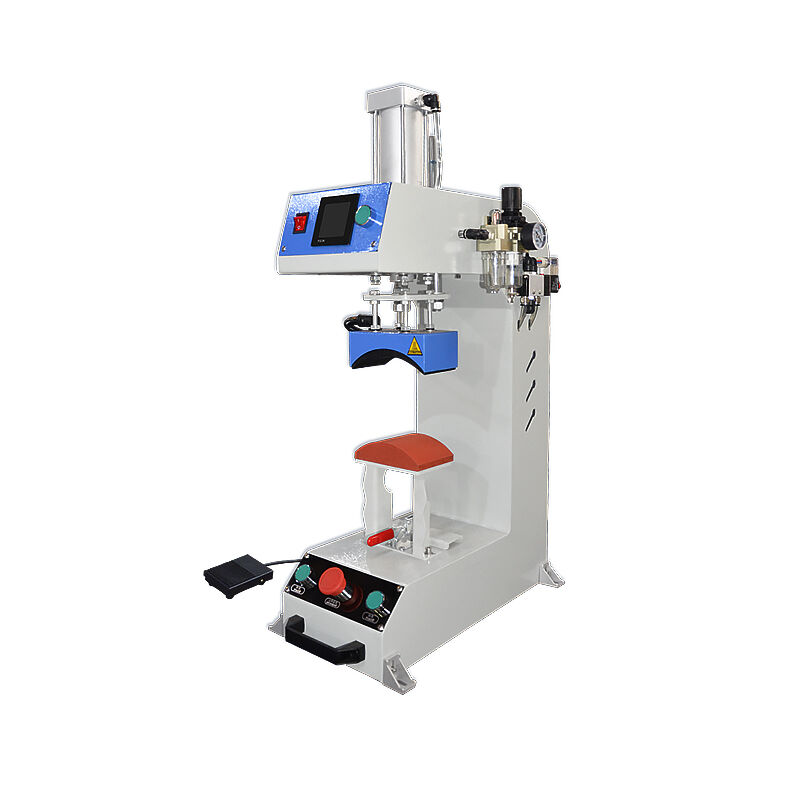
Ailíniú Ceangailte an Chapta, Cumhdach an Dhomhain, agus Prionsabail an Tacaíochta Ar Ais
- Leagáil Chomh Réamhaite : Úsáid triailí ailíniú istigh nó uirlisí láser chun an iarrthair a laistigh a laistigh thar an domhan. Fiú mí-ailíniú de 2mm a dhéanann distortiún a fheiceáil i loga le sonraí fini.
- Cumhdach an Domhain úsáid brú leathrach athshocraithe a ghléann go díreach le curváil. Tá 15–20% níos lú brú de dhíth ar chapaigh struchtúrtha ná ar stíleanna neamhstruchtúrtha chun cruth an domhain a chaomhnú agus leathnú na mbealaí a sheachaint.
- Tacaíocht an Chúlra cuir isteach iarnród sáithithe nó báirdíní cúlra curváilte a rinneadh go speisialta laistigh den chap. Seachnaíonn sé seo tuitim an phainéil faoi bhrú agus teocht, ag cinntiú teagmhála cothrom agus aistriú teasa cothrom ar na bealaí, na gussets agus na trasnúcháin ar an gcroinn.
An Díospóireacht faoi Ró-Brú: Nuair a Chuireann Sé Soirbheas ar Ghlanmhalartacht (agus Nuair a Mhoillíonn Sé Integritéad an Tábhais)
Ró-brú—teas a thabhairt ar an gcap go gearr roimh fheidhmiú an aistriúcháin—cuireann soirbheas ar ghlanmhalartacht níos mó do chapaigh 100% caitin trí mhéadú an fhuarais agus trí shuáilcí a shileadh. Áfach, tá rioscaí fíorleana ann do shintéiseanna: túsú réamhaimseartha an adhesives, deacraíocht thearmach de chríochnúcháin a bhaineann le fuarú, agus crochadh an bhrackram. Do chapaigh poliastair, méis nó meascáin feidhmiúla, seachain ro-brú go hiomlán agus ina áit:
- Laghdaigh an teocht go 140–149°C,
- Leathnaigh an t-am fánach faoi 5–8 soicind chun an difreacht i dtarchur teasa a chompensáil,
- Cuir brú éadrom, cothrománach ar fáil chun téacsúr an adhmaid agus an tionscnamh struchtúrtha a chosaint.

