
 EN
EN
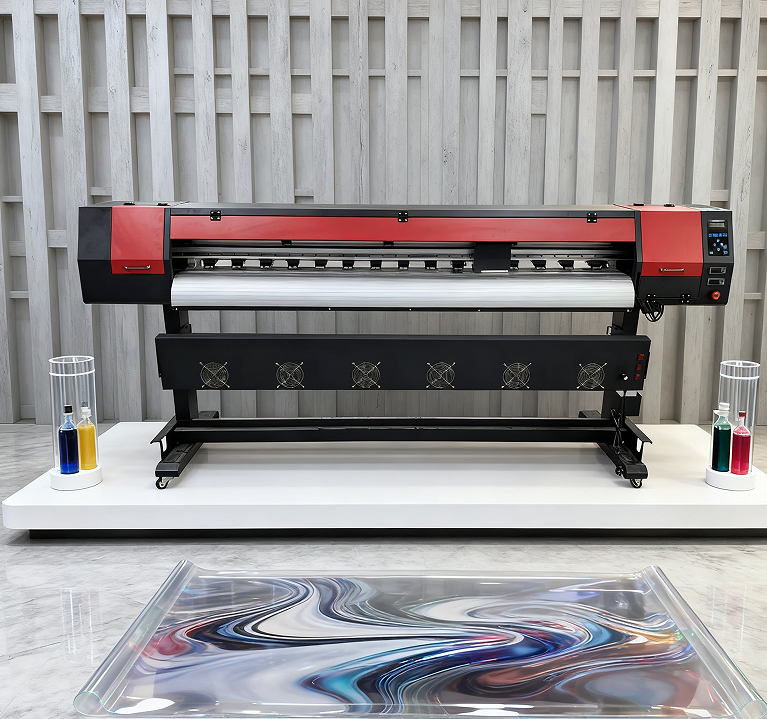
Daaglikse drukkop- en inkleweringonderhoud vir betroubare rool-naar-rool sublimasieprinterprestasie
Reinigings- en inspeksieprotokolle vir drukkoppe, roosters, filters, doppe en skraapblaaie
Dit maak sin vir enigiemand wat termiese drukkers bedryf om elke oggend met 'n vinnige kontrole van daardie noodsaaklike dele in die inkleweringstelsel te begin. Kyk noukeurig na die drukkoppe vir enige gedroë inkresidu wat agtergelaat word na druksessies. Bedryfsnavorsing wys dat hierdie opbou een van die hoofredes is waarom drukkoppe vroeg uitval. Neem 'n paar pluisvrye swabbe en die skoonmaakoplossing wat die vervaardiger aanbeveel, en vee dan versigtig enige vuilheid van die spuitgate en roosterareas af sonder om iets te krap. Moet nie vergeet om ook die filters te kontroleer nie. Deeltjies het 'n neiging om daar oor tyd te versamel, dus help dit om die filters elke drie maande te vervang om 'n behoorlike inkvloei en -digtheid te handhaaf. Die doppe moet korrek teen die drukkop aansit, en daardie skraapblaaie moet glad wees sonder enige buigings of kerwe wat die delikate drukkopoppervlak kan krap. Hou 'n rekord van alles wat tydens hierdie kontroles gevind word met 'n standaardvorm wat tekens van slytasie, hoe goed die dele uitlyn en of skoonmaak effektief was, insluit. En onthou iets wat baie mense heeltemal ignoreer: om seker te maak dat al daardie afvalinkkanale vry bly. Wanneer hulle verstopt raak, veroorsaak dit ernstige probleme met die drukker se betroubaarheid later.
Nozzle-toetse en proaktiewe verstoppingopsporing om bandvorming en verbleiking te voorkom
Voer altyd spuitmond-diagnose uit aan die begin van elke produksieskof sodat ons probleme kan identifiseer voordat dit erger word. Ons druk spesiale toetserpatrone wat spesifiek ontwerp is om ontbrekende spuitmonde of ongelykvormige druppels bloot te lê — hierdie klein probleme verskyn later as vervelig bandeffekte of kleure wat in ons eindprodukte vervaag. Bestudeer daardie toetsdrukwerk noukeurig met behulp van ’n goeie vergrootglas of mikroskoop, want selfs baie klein onreëlmatighede by die spuitmonde veroorsaak groot gehalteprobleme met sublimasiedruk. As daar net ’n gedeeltelike verstopping plaasvind, probeer eers die sagte spoel-siklus in plaas van dadelik oor te gaan na die kragtige herstelmodus — in die meeste gevalle werk dit baie goed. Hou elke dag dop op die inkviskositeitmetings deur middel van ons lyn-integrasie-sensore en tree dadelik in aksie as die waardes meer as 5% van die teiken afwyk, aangesien dit later tot pigmentseparasieprobleme lei. Die werkswinkel moet ’n relatiewe humiditeit van ongeveer 40 tot 60 persent handhaaf om te voorkom dat ink velletjies vorm wanneer masjiene te lank stilstaan. Vir herhalende probleme het ons begin om outomatiese spuitmond-kaartleggingsgereedskap te gebruik, wat ons in staat stel om voort te produseer terwyl onderhoudswerk beplan word — hierdie benadering verminder stilstandtyd sonder om die drukkwaliteit te kompromitteer.
Sublimasieinkstelselversorging: Waarborg van stabiele vloei en kleurgetrouheid in rol-na-rol-sublimasiedrukkers
Patroonintegriteit, afvalinkbestuur en monitering van ink sakgesondheid
Gereelde kontroles van drukkerpatrone help om lug en ander besoedelende stowwe wat die drukkwaliteit met tyd vererger, buite te hou. Kyk elke week na daardie seals en vervang enige patrone wat krake toon, verkleur lyk of tekens van vog vertoon. Verwyder afvalink voordat die houer te vol raak — ideaal is dit om dit te doen wanneer dit ongeveer drie kwart vol is. Maatskappye wat hul afvalbestuurpraktyke stewig beheer, rapporteer minder probleme met verstopte drukkoppe, miskien selfs tot die helfte minder volgens sommige studies. Hou ook dop op die ink-sakke binne-in die drukker. Hulle moet ferm voel, maar nie kliphard nie. Wanneer hierdie buigsame reservoirs instort, dui dit op 'n vakuumprobleem elders, wat kan lei tot onvoorspelbare begin-en-stop-drukwerk. Volg 'n gereelde onderhoudsroutine vir al hierdie areas om gladde bedryf dag na dag te verseker.
- Dagelike : Bevestig veilige patroonplasing en monitor afvalvlakke
- Weekliks : Ondersteun sakke en seals onder helder lig vir integriteit
- Maandeliks spoel die inklyne met goedgekeurde skoonmaakvloeistof
Die verwaarloosing van hierdie stappe lei tot vermydbare bandvorming en kleurverskuiwings—wat hoë-volumeprosesse ’n geskatte $740 000 per jaar in herdrukwerk kos (Ponemon Institute, 2023).
Hoekom hoëgehalte-sublimasieink en geseënde verbruiksartikels noodsaaklik is vir konsekwente uitsetkwaliteit
Generiese ink het dikwels onkonsekwente kleurstofvlakke sowel as verborge deeltjies wat die drukker se spuitgate met tyd werklik kan beskadig. Dit veroorsaak ook daardie verveligende kleurveranderings wanneer dit onder verskillende ligte bekyk word — wat ons metameriesme noem. Die goeie nuus is dat sertifiseerde sublimasie-ink deur verskeie toetse gaan vir dinge soos sy digtheid en of dit standhou wanneer dit verhit word. Hierdie toetse verseker dat die ink behoorlik vloei, selfs wanneer die drukker tydens bedryf verhit raak. Praktiese toetsing het bevind dat hoë gehalte-ink ook sy helder kleure baie beter behou. Na 500 wasbeurte lyk premiumopsies steeds ongeveer 95% van hul oorspronklike helderheid terwyl goedkoper opsies tot ongeveer 70% daal. Moet nooit vergeet om dempers en filters te gebruik wat deur die vervaardiger goedgekeur is nie. Goedkoper alternatiewe veroorsaak probleme met die druk binne die stelsel en ongelykvormige lugvloei, wat die manier waarop die ink werklik afgelewer word, ontwrig. As jy aan hierdie korrekte opstelling en onderhoudsroutine vashou, verminder dit daardie frustrerende kopstootprobleme en bespaar ongeveer 40% van die tyd wat gewoonlik spandeer word om kleure handmatig reg te stel. Dit maak tog sin, nie waar nie? Betêre drukresultate nou én geld bespaar later.
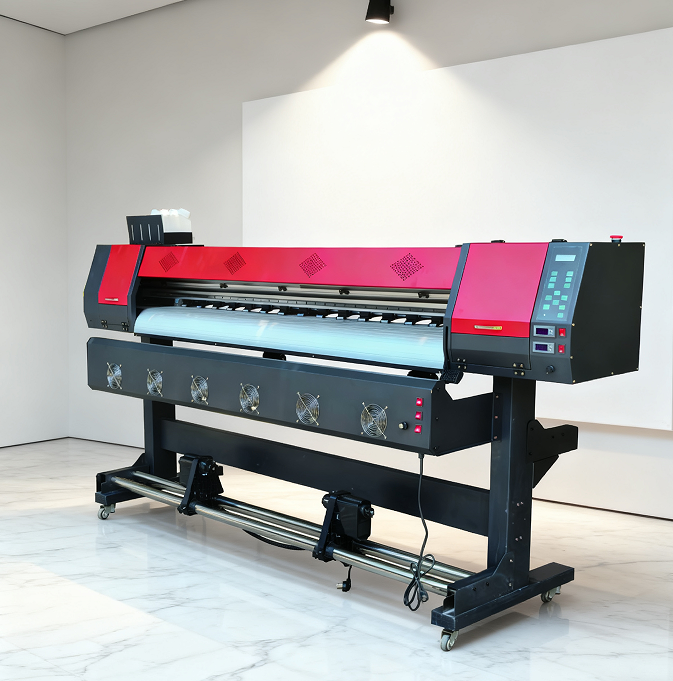
Meganiese Uitlyning en Omgewingsoptimisering vir Presisie Rol-oor-Rol Sublimasiedruk
Kalibrering van Gidsrails, Skyfies, Riemme, Ratte en Lugpompdruk
Om meganiese presisie reg te kry, is sleutel tot goeie registrasieakkuraatheid en om foute in die finale produk te vermy. Weeklikse kontroles van daardie riglyne is 'n noodsaaklike taak. Selfs klein afwykings van meer as 0,1 mm kan merkbare ondergrondverskuiwingprobleme en registrasieprobleme later veroorsaak. Wanneer u bandspanning kontroleer, neem daardie frekwensiemeter en behou lesings tussen 120 en 150 Hz. Te los en die bande sal gly; te styf en hulle sal vinniger as normaal verslet raak. Moet nie vergeet om daardie ratstelle elke maand met sintetiese vet vir swaar industriële siklusse te smeer nie. Dit help om terugslag te verminder en slytasie teen te werk. Lugpompdruk moet noukeurig gereguleer word rondom 0,55 MPa, plus of minus 0,05. 'n Behoorlik gekalibreerde digitale manometer maak hier 'n groot verskil, aangesien onkonsekwente druk die media-vashou aan die oppervlak versteur. Volgens die bedryfsstandaarde uit PrintTech se 2023-verslag verminder die volg van hierdie onderhoudsroutines drukfoute byna met die helfte terwyl dit ook lei tot dat onderdele amper 30% langer duur. En onthou om elke aanpassing digitale te dokumenteer. Om dit by te hou, vervul nie net die nakomingvereistes nie, maar help ook om tendense te identifiseer wanneer dinge begin afwyk.
Beheer van Temperatuur, Vlugtigheid, Stof en EMI om die Akkuraatheid van Sublimasie-oordrag te Beskerm
Die handhawing van stabiele omgewingsomstandighede is werklik belangrik vir die verkryging van konsekwente resultate tydens die oordrag van verwe en die werk met verskillende substrate. Die ideale reeks is ongeveer 20 tot 25 grade Celsius vir temperatuur en ongeveer 40 tot 60 persent relatiewe vogtigheid. Wanneer die waardes selfs net 'n paar grade of tien persentasiepunte buite hierdie reekse beweeg, begin probleme verskyn soos kleurverskuiwings, ink wat teen onvoorspelbare tempo's droog word, en materiale wat op hulself rol. Die installering van HEPA-filters maak sin omdat hulle amper al die klein deeltjies wat rondswem (soos 99,97% van enigiets groter as 0,3 mikron) vasvang, wat help om spuitkoppe skoon te hou van stofopbou. Om elektromagnetiese steuring vanaf nabygeleë masjiene te hanteer, moet vervaardigers hul drukkeramme behoorlik aarde, beskermende omslae om sein-kabels wikkel en dié sensitiewe opsporingskomponente afsonderlik plaas. Weeklikse toetse met gekalibreerde gaussmeters sal probleemgebiede identifiseer waar steuring moontlik probleme veroorsaak. Navorsing wat verlede jaar in die Textile Printing Journal gepubliseer is, het bevind dat fabrieke wat noukeurige beheer oor hul omgewing gehandhaaf het, ongeveer 15% minder materiaal verspil het en byna perfekte kleurbykoming vir elke proses bereik het (98% akkuraatheid). Die instelling van slim omgewingsensors wat aan die internet gekoppel is, met onmiddellike waarskuwingstelsels, laat bedryfsleiers toe om potensiële probleme aan te pak voordat dit ernstige kopseer veroorsaak.

